

You can spot dirty solar panels through two quick checks: a visual inspection and an output comparison. Look for dust haze, bird droppings, or dark streaking on the glass surface. Then pull your inverter data and compare current daily kilowatt-hour output against your historical baseline. A sustained 5–25% unexplained drop across multiple clear days signals contamination. Keep going to learn exactly what to look for and when to act.
Key Takeaways
-
A dust film, haze, bird droppings, dark streaking, or debris lines along panel edges are visible signs of performance-affecting dirt buildup.
-
A 5–10% consistent drop in energy output across multiple clear days signals contamination requiring attention.
-
Compare daily kilowatt-hour output against your typical baseline using a solar inverter or monitoring app.
-
Flat or low-tilt panels accumulate debris faster, making them more susceptible to output-reducing soiling over time.
-
Sustained, unexplained production declines of 10–25% across several clear days warrant immediate inspection and potential cleaning.
How Much Dirt Actually Cuts Solar Output?
Dust, pollen, bird droppings, and pollution residue don’t just make your panels look bad — they actively block photons from reaching the photovoltaic cells beneath.
Even a thin layer of dirt accumulation can reduce solar efficiency by 5–25%, depending on your location, panel angle, and local environmental conditions.
Flat or low-tilt panels accumulate debris faster because rain can’t self-clean them effectively. In urban or high-pollen environments like Portland, buildup accelerates considerably.
Research from the National Renewable Energy Laboratory confirms that soiling losses compound over time — meaning the longer you wait, the steeper the output drop.
You’re not dealing with a cosmetic issue. You’re dealing with a measurable, progressive loss in energy production that directly affects your system’s return on investment.
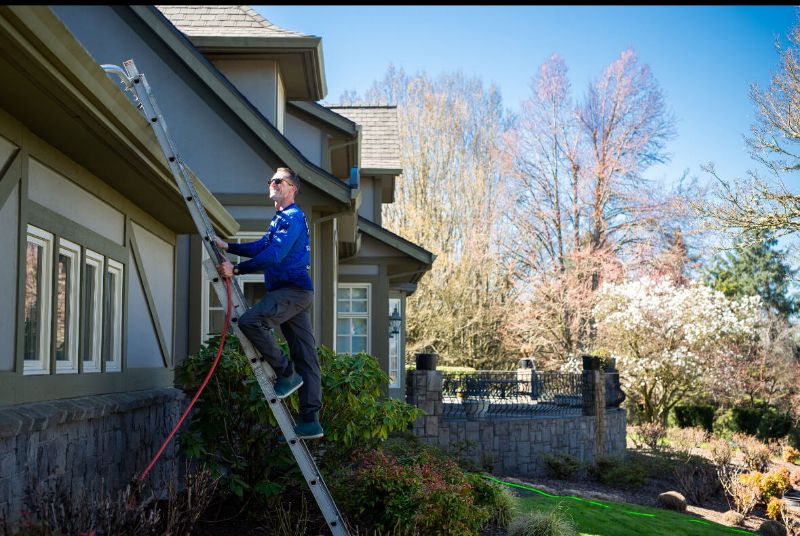
Visual Signs Your Solar Panels Need Cleaning
Sometimes the clearest indicator of a dirty solar array isn’t your monitoring app — it’s what you can see with your eyes.
During your routine solar panel maintenance inspections, look for these specific visual cues:
-
Dust film or haze covering the glass surface, especially visible at low sun angles
-
Bird droppings concentrated in clusters, which create hard shading points
-
Dark streaking or brown discoloration from algae or pollen accumulation
-
Debris lines along panel edges where leaves and organic matter collect
-
Uneven surface texture suggesting dried mineral deposits from rain runoff
Your cleaning frequency should increase if you’re spotting two or more of these signs simultaneously. Each indicator represents a measurable obstruction to light transmission, not just an aesthetic concern. Regular cleaning ensures maximum sunlight exposure for optimal energy output and protects your investment in solar technology.
How to Check Your Energy Monitor for Output Drops
Your solar inverter or monitoring app—such as SolarEdge, Enphase, or your utility’s smart meter portal—gives you direct access to real-time and historical production data.
Check your system’s daily kilowatt-hour output and flag any readings that fall below your typical baseline, especially on clear, sunny days.
Compare current production against the same period from previous weeks or months to identify a pattern of gradual decline that often signals dirty or obstructed panels.
Locating Your Energy Monitor
Most solar inverters include a built-in energy monitor or pair with a companion app that tracks your system’s output in real-time.
You’ll typically find the monitor mounted near your inverter, which is usually installed in your garage, utility room, or on an exterior wall close to your main electrical panel.
If your system uses a companion app, download it from your inverter manufacturer’s website or app store.
Brands like Enphase, SolarEdge, and SMA each offer dedicated monitoring platforms. Log in using your installer-provided credentials to access your dashboard.
Consistent monitoring supports long-term energy efficiency and informs your panel maintenance schedule.
Knowing where to access your data is the first step toward identifying performance issues caused by dirt accumulation.
Spotting Unusual Output Drops
Once you’ve located your energy monitor and can access your system’s dashboard, the next step is learning how to read it for signs of trouble.
Focus on the output indicators—specifically daily kilowatt-hour totals and real-time wattage readings. Compare today’s figures against historical data from the same season and similar weather conditions.
A performance impact worth investigating typically shows up as a 10–25% unexplained drop in production. Most monitoring platforms display trend graphs that make these deviations visually obvious.
Look for gradual, sustained dips rather than single-day fluctuations, which are usually weather-related. If your system consistently underperforms across multiple clear days, that pattern signals a potential issue—dirty panels being one of the most common and correctable causes.
Comparing Daily Production Data
Comparing daily production data gives you one of the clearest diagnostic tools for identifying dirty panels before performance loss becomes significant. Your energy monitor logs solar output continuously, letting you isolate contamination-related drops from weather variables.
Follow this method to analyze your data accurately:
-
Pull production records from identical weather days across consecutive weeks.
-
Calculate the percentage difference in kilowatt-hours between those matched days.
-
Cross-reference output dips with recent pollen seasons, storms, or bird activity.
-
Use declining baselines to determine appropriate cleaning frequency before losses compound.
A consistent 5–10% drop across matched days signals panel contamination requiring attention.
Don’t rely on single-day readings—patterns across multiple comparable days give you reliable, actionable data to determine whether professional cleaning is necessary.
Portland Weather Makes Panel Buildup Worse
Portland’s climate creates specific conditions that accelerate solar panel contamination beyond what most regions experience. The frequent Portland rain doesn’t clean your panels—it deposits dissolved particulates, pollen, and atmospheric debris that dry into stubborn residue films.
Seasonal changes shift contamination types dramatically: spring delivers heavy pollen loads, fall deposits organic debris, and winter introduces persistent moisture that accelerates moss growth directly on panel surfaces.
Portland’s urban and industrial pollution effects compound this problem. Vehicle emissions, industrial particulates, and biomass combustion byproducts settle onto panels during dry periods, then bond chemically when moisture returns.
Unlike drier climates where dust wipes away easily, Pacific Northwest contamination layers are adhesive and difficult to address without professional intervention. Your panels face a uniquely aggressive contamination cycle that standard rainfall simply can’t counteract. Regular professional cleaning services can help manage these challenges effectively.
DIY vs. Professional Solar Panel Cleaning
When you’re weighing DIY cleaning against hiring a professional, the decision comes down to risk, equipment, and long-term panel performance.
Both cleaning methods carry trade-offs worth evaluating through careful cost analysis.
Consider these four factors before choosing your approach:
-
Equipment – DIY cleaning requires soft brushes, deionized water, and low-pressure tools to avoid surface scratching.
-
Safety – Roof-mounted panels demand fall protection gear most homeowners don’t own.
-
Cost analysis – Professional cleaning typically runs $100–$200 per session but prevents warranty-voiding damage.
-
Effectiveness – Professionals use purified water systems that eliminate mineral spotting, outperforming standard garden hose cleaning methods.
If your panels show significant moss, hard water deposits, or output loss exceeding 15%, professional service delivers measurable returns over attempting the job yourself. Additionally, regular cleaning maximizes return on investment in solar technology, ensuring optimal performance and energy output.
When to Schedule a Solar Panel Cleaning Service
Timing your solar panel cleaning correctly maximizes energy output and prevents long-term surface degradation. Schedule professional cleaning at least once or twice annually, adjusting service frequency based on your local environment. Portland’s wet winters deposit organic debris, while dry summers accelerate particulate buildup, so a spring and late-summer schedule typically aligns with best cleaning practices for the Pacific Northwest.
Beyond routine scheduling, monitor your inverter’s performance data consistently. A measurable output drop of five percent or more signals an unscheduled cleaning is necessary. After significant wind events, nearby construction, or heavy pollen seasons, inspect panels visually and cross-reference your energy metrics before your next scheduled appointment.
Professional technicians assess surface contamination accurately, apply appropriate cleaning methods, and document pre- and post-cleaning output data, giving you a precise benchmark for future service decisions. Additionally, understanding the importance of solar panel cleaning ensures you maintain optimal energy production year-round.
Frequently Asked Questions
Can Bird Droppings Cause Permanent Damage to Solar Panel Surfaces?
Bird droppings can cause permanent surface damage to your solar panels. Their acidic composition etches into the glass coating over time, degrading light transmission and reducing energy output if you don’t remove them promptly.
Does Panel Angle Affect How Quickly Dirt and Debris Accumulate?
Yes, panel angle considerably affects accumulation factors. Flatter panels collect more debris and standing water, while steeper angles allow natural runoff. You’ll need more frequent panel maintenance if your installation sits below a 15-degree tilt.
Are Certain Solar Panel Brands More Resistant to Environmental Buildup?
Some brands use hydrophobic solar panel materials that repel water and reduce buildup, but environmental factors like pollen, moss, and pollution affect all panels. You’ll still need regular professional cleaning to maintain peak output.
Will Cleaning My Solar Panels Void the Manufacturer’s Warranty?
Cleaning won’t void your warranty if you follow approved warranty conditions. Avoid high-pressure methods, as manufacturers typically require gentle cleaning methods. Check your documentation or contact your manufacturer to confirm acceptable practices before proceeding.
How Long Does a Professional Solar Panel Cleaning Typically Take?
Most professional solar panel cleanings take 1–2 hours, depending on system size. Technicians apply efficient cleaning techniques to maximize your time, and your maintenance frequency determines how quickly buildup is removed each visit.
Conclusion
Don’t wait until your energy bills spike to take action. You’ve got the tools to catch dirty panel problems early — monitor your output data regularly, inspect your panels after heavy weather events, and compare your system’s performance against historical baselines. When you spot a 15 to 25 percent production drop that weather alone can’t explain, it’s time to schedule a professional cleaning before the losses compound further.